Hello,
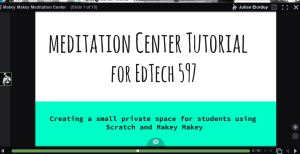
This week we were asked to created a tutorial on one of our Makey and Scratch projects. I chose the Meditation Center. I realize that this project is rather simple. But I find it relevant to virtually any classroom setting. The animated gifs and sounds create a simple and beautiful virtual reality where students or teachers can enter a world of peace and tranquility.
The Makey Makey controller is rather simple and can be made with any conductive equipment. In my example, I used apples with letters carved into the tops. The animated gifs were taken from some public video content of water and a grassy field. The sounds are from one of my favorite artists, Brian Eno. But any of the images or sounds could be customized by the user.
I look forward to see this used in my own class, where I use meditation weekly as a way to de-stress students. In my senior classes, students over burdened with stress about grades, school activities, college applications and test scores. I use meditation extensively to get students to a place where they can worry less and enjoy life more.
The use of Voice Thread was very new to me. I do not know if I will use it again, as Adobe Voice seems to be a nice combination of VoiceThread and presentation software. Once I created the presentation in Slides (Google), I converted it to a PPTX file and uploaded it to Voice Thread. From there, I could do minor customizations. Some of the slides looked fine in Slides, but did not upload correctly into Voice Thread. So I had to make some adjustments along the way. Once things were finally corrected, I was able to add voice over audio without a problem. It was kinda of fun to hear your own voice speaking over the slides.
Happy meditating!

 Julian A. Elorduy, MET, MA